/* sections-b.jsx — About, Art, Speaking, Consulting, Contact, Footer → window */

function About() {
  const D = window.ADITI.about;
  return (
    <section className="section about" id="about" data-screen-label="About">
      <div className="wrap about-grid">
        <div className="about-photo reveal">
          <div className="swatch-strip" aria-hidden="true">
            {["var(--vermillion)", "var(--saffron)", "var(--teal)", "var(--ochre)", "var(--purple)"].map((c) => (
              <i key={c} style={{ background: c }} />
            ))}
          </div>
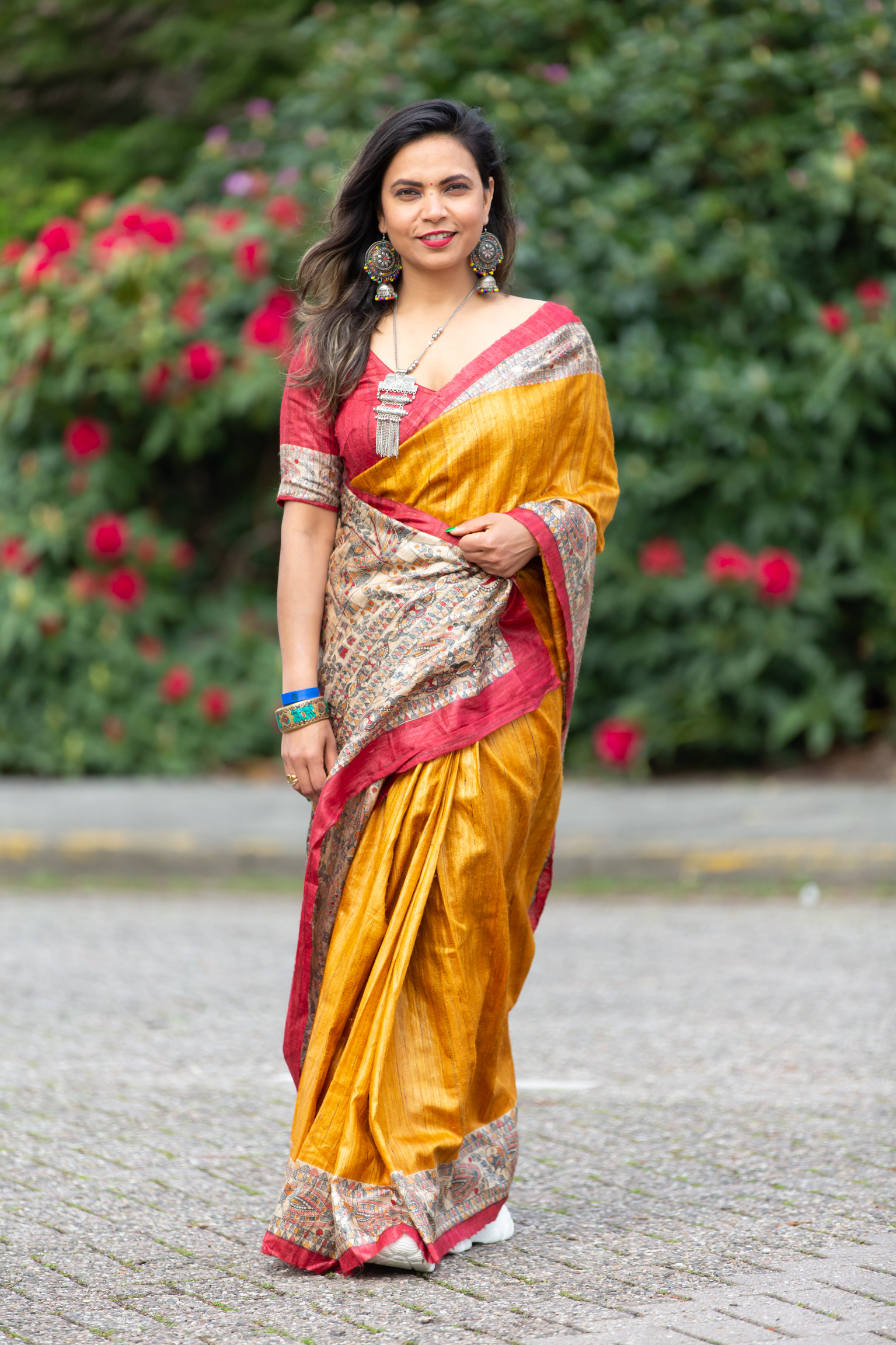
          <div className="ph"><img src="images/portrait-standing.jpg" alt="Aditi standing in a golden silk saree with silver tribal jewellery" /></div>
        </div>
        <div className="about-bio reveal d1">
          <p className="eyebrow">About</p>
          <h2 className="section-title" style={{ marginBottom: "1.4rem" }}>From markets <em>to margins</em>.</h2>
          {D.bio.map((para, i) => (<p key={i}>{para}</p>))}
          <div className="roles">
            <div className="roles-label">What I do</div>
            <div className="roles-list">
              {D.roles.map((r, i) => (
                <React.Fragment key={r}>
                  <span>{r}</span>
                  {i < D.roles.length - 1 && <span className="rsep">/</span>}
                </React.Fragment>
              ))}
            </div>
          </div>
        </div>
      </div>
    </section>
  );
}

function Piece({ p }) {
  return (
    <article className={"piece " + p.layout + " reveal"}>
      <div className="piece-img"><img src={p.img} alt={p.title} loading="lazy" /></div>
      {p.layout === "layout-wide" ? (
        <div className="piece-text piece-wide-cap">
          <span className="piece-num">{p.n}</span>
          <div>
            <h3 className="piece-title">{p.title}</h3>
            <p className="piece-cap">{p.caption}</p>
            <div className="piece-meta">{p.meta}</div>
          </div>
        </div>
      ) : (
        <div className="piece-text">
          <span className="piece-num">{p.n}</span>
          <h3 className="piece-title">{p.title}</h3>
          <p className="piece-cap">{p.caption}</p>
          <div className="piece-meta">{p.meta}</div>
        </div>
      )}
    </article>
  );
}

function Art() {
  const D = window.ADITI.art;
  return (
    <section className="section art" id="art" data-screen-label="Art">
      <CornerMotif style={{ top: 20, right: -40 }} size={280} />
      <div className="wrap">
        <div className="art-head">
          <div className="reveal">
            <p className="eyebrow">The Paintings</p>
            <h2 className="section-title">Art<em>.</em></h2>
          </div>
          <div className="reveal d1">
            <p className="lede" style={{ marginBottom: "1rem" }}>{D.lede}</p>
            <p style={{ color: "var(--ink-soft)", maxWidth: "44ch" }}>{D.intro}</p>
          </div>
        </div>
        <div className="gallery">
          {D.pieces.map((p) => (<Piece key={p.n} p={p} />))}
        </div>
      </div>
    </section>
  );
}

// Home teaser: 3 featured paintings + a button to the full gallery page.
function ArtFeature() {
  const D = window.ADITI.art;
  const featured = D.pieces.filter((p) => p.home);
  return (
    <section className="section art-feature" id="art" data-screen-label="Selected Work">
      <CornerMotif style={{ top: 10, left: -40 }} size={260} />
      <div className="wrap">
        <div className="art-head">
          <div className="reveal">
            <p className="eyebrow">Her Paintings</p>
            <h2 className="section-title">Selected <em>work</em>.</h2>
          </div>
          <div className="reveal d1">
            <p className="lede">{D.lede}</p>
          </div>
        </div>

        <div className="feature-grid">
          {featured.map((p, i) => (
            <a key={p.n} href="art.html" className={"feature-card reveal d" + (i + 1)} aria-label={"View " + p.title + " in the gallery"}>
              <div className="fc-img"><img src={p.img} alt={p.title} loading="lazy" /></div>
              <div className="fc-meta">
                <span className="fc-num">{p.n}</span>
                <h3 className="fc-title">{p.title}</h3>
                <p className="fc-cap">{p.caption}</p>
              </div>
            </a>
          ))}
        </div>

        <div className="feature-cta reveal">
          <p className="fc-note">Aditi paints continually. The full, growing collection lives in the gallery.</p>
          <a href="art.html" className="btn btn-ink">Explore the full gallery <Icon name="arrow" className="arr" /></a>
        </div>
      </div>
    </section>
  );
}

function Speaking({ onInvite }) {
  const D = window.ADITI.speaking;
  const [open, setOpen] = React.useState(0);
  const refs = React.useRef({});
  return (
    <section className="section speaking" id="speaking" data-screen-label="Speaking">
      <div className="wrap">
        <div style={{ maxWidth: 760 }} className="reveal">
          <p className="eyebrow">On Stage</p>
          <h2 className="section-title">Speaking<em>.</em></h2>
          <p className="lede" style={{ marginTop: "1.2rem" }}>{D.lede}</p>
        </div>

        <div className="topics reveal d1">
          {D.topics.map((t, i) => {
            const isOpen = open === i;
            return (
              <div key={t.n} className={"topic" + (isOpen ? " open" : "")} onClick={() => setOpen(isOpen ? -1 : i)}>
                <div className="topic-head">
                  <span className="topic-num">{t.n}</span>
                  <span className="topic-name">{t.name}</span>
                  <span className="topic-plus" aria-hidden="true"></span>
                </div>
                <div className="topic-body" style={{ height: isOpen ? (refs.current[i] ? refs.current[i].scrollHeight : "auto") : 0 }}>
                  <div className="topic-body-inner" ref={(el) => (refs.current[i] = el)}>
                    <p className="topic-desc">{t.desc}</p>
                  </div>
                </div>
              </div>
            );
          })}
        </div>

        <div className="speaking-cta reveal">
          <p className="sc-text">Invite Aditi to your stage, classroom or gathering.</p>
          <button className="btn btn-fill" onClick={onInvite}>Invite Aditi to speak <Icon name="arrow" className="arr" /></button>
        </div>

        <div className="venues reveal">
          <div className="venues-label">She has spoken at</div>
          <div className="venues-row">
            {D.venues.map((v) => (<span key={v} className="venue-chip">{v}</span>))}
          </div>
        </div>
      </div>
    </section>
  );
}

function Consulting({ onWork }) {
  const D = window.ADITI.consulting;
  return (
    <section className="section consulting" id="consulting" data-screen-label="Consulting">
      <div className="wrap">
        <div style={{ maxWidth: 760 }} className="reveal">
          <p className="eyebrow">Working Together</p>
          <h2 className="section-title">Consulting<em>.</em></h2>
          <p className="lede" style={{ marginTop: "1.2rem" }}>{D.lede}</p>
        </div>

        <div className="consult-grid">
          {D.services.map((s, i) => (
            <div key={s.title} className={"service reveal d" + (i + 1)}>
              <ServiceGlyph kind={s.title} />
              <span className="service-no">{s.no}</span>
              <h3>{s.title}</h3>
              <p>{s.desc}</p>
            </div>
          ))}
        </div>

        <div className="focus">
          <div className="focus-label reveal">Drawn from a decade across business,<br />education &amp; transition.</div>
          <div className="focus-list reveal d1">
            {D.focus.map((f) => (<span key={f}>{f}</span>))}
          </div>
        </div>

        <div className="consult-banner reveal">
          <CornerMotif style={{ top: -20, left: -20, color: "var(--saffron-soft)", opacity: 0.18 }} size={220} />
          <CornerMotif style={{ bottom: -20, right: -20, color: "var(--saffron-soft)", opacity: 0.18, transform: "scale(-1)" }} size={220} />
          <p className="cb-quote">I don't deliver content. <em>I shift mindsets.</em></p>
          <button className="btn btn-light" onClick={onWork}>Work with Aditi <Icon name="arrow" className="arr" /></button>
        </div>
      </div>
    </section>
  );
}

function Contact({ presetRef }) {
  const D = window.ADITI.contact;
  const [sent, setSent] = React.useState(false);
  const [sending, setSending] = React.useState(false);
  const [error, setError] = React.useState("");
  const [viaEmail, setViaEmail] = React.useState(false);
  const [form, setForm] = React.useState({ name: "", email: "", interest: "Just connecting", message: "" });
  const set = (k) => (e) => setForm((f) => ({ ...f, [k]: e.target.value }));

  React.useImperativeHandle(presetRef, () => ({
    preset(interest) { setForm((f) => ({ ...f, interest })); },
  }));

  const keyConfigured = D.formspreeEndpoint && D.formspreeEndpoint.includes("formspree.io/f/");

  const fallbackToEmail = () => {
    const subject = encodeURIComponent(`[${form.interest}] Hello from ${form.name || "your site"}`);
    const body = encodeURIComponent(`${form.message}\n\n— ${form.name} (${form.email})`);
    window.location.href = `mailto:${D.email}?subject=${subject}&body=${body}`;
    setViaEmail(true);
    setSent(true);
  };

  const submit = async (e) => {
    e.preventDefault();
    setError("");
    if (!keyConfigured) { fallbackToEmail(); return; }
    setSending(true);
    try {
      const res = await fetch(D.formspreeEndpoint, {
        method: "POST",
        headers: { "Content-Type": "application/json", Accept: "application/json" },
        body: JSON.stringify({
          _subject: `[${form.interest}] New message from ${form.name}`,
          name: form.name,
          email: form.email,
          reaching_out_about: form.interest,
          message: form.message,
          _gotcha: form.botcheck || "",
        }),
      });
      if (res.ok) { setViaEmail(false); setSent(true); }
      else {
        const data = await res.json().catch(() => null);
        const msg = data && data.errors && data.errors.length ? data.errors.map((x) => x.message).join(" ") : "Something went wrong. You can email me directly below.";
        setError(msg);
      }
    } catch (err) {
      setError("Couldn't reach the server. Opening your email app instead…");
      setTimeout(fallbackToEmail, 700);
    } finally {
      setSending(false);
    }
  };

  return (
    <section className="section contact" id="contact" data-screen-label="Contact">
      <div className="wrap contact-grid">
        <div className="contact-left reveal">
          <p className="eyebrow">Connect with me</p>
          <h2 className="section-title">Let's <em>talk</em>.</h2>
          <p className="lede" style={{ marginTop: "1.2rem" }}>Speaking, consulting, a commission, or simply a conversation — I read every note.</p>
          <div className="contact-detail">
            <a href={`mailto:${D.email}`}><Icon name="mail" className="ci" />{D.email}</a>
            <a href={D.instagramUrl} target="_blank" rel="noopener"><Icon name="instagram" className="ci" />@{D.instagram}</a>
            <a href={D.linkedin} target="_blank" rel="noopener"><Icon name="linkedin" className="ci" />LinkedIn — Aditi Gupta</a>
          </div>
        </div>

        <div className="reveal d1">
          {sent ? (
            <div className="form-thanks">
              <div className="ft-mark">✶</div>
              <h3>Thank you.</h3>
              {viaEmail ? (
                <p style={{ color: "var(--ink-soft)" }}>Your email is opening now. If it didn't, write to me directly at <a href={`mailto:${D.email}`} style={{ color: "var(--accent-deep)", fontWeight: 600 }}>{D.email}</a>.</p>
              ) : (
                <p style={{ color: "var(--ink-soft)" }}>Your message is on its way to my inbox. I read every note and will reply as soon as I can.</p>
              )}
              <button className="btn btn-ghost" style={{ marginTop: 18 }} onClick={() => { setSent(false); setError(""); }}>Send another</button>
            </div>
          ) : (
            <form className="form" onSubmit={submit}>
              {/* honeypot — hidden from people, catches bots */}
              <input type="checkbox" name="botcheck" tabIndex="-1" autoComplete="off"
                style={{ position: "absolute", left: "-9999px" }} aria-hidden="true"
                onChange={(e) => setForm((f) => ({ ...f, botcheck: e.target.checked }))} />
              <div className="field-row">
                <div className="field">
                  <label htmlFor="cf-name">Your name</label>
                  <input id="cf-name" required value={form.name} onChange={set("name")} placeholder="Jane Doe" />
                </div>
                <div className="field">
                  <label htmlFor="cf-email">Email</label>
                  <input id="cf-email" type="email" required value={form.email} onChange={set("email")} placeholder="jane@org.com" />
                </div>
              </div>
              <div className="field">
                <label htmlFor="cf-int">I'm reaching out about</label>
                <select id="cf-int" value={form.interest} onChange={set("interest")}>
                  <option>Inviting Aditi to speak</option>
                  <option>Consulting &amp; advisory</option>
                  <option>A commission or artwork</option>
                  <option>Just connecting</option>
                </select>
              </div>
              <div className="field">
                <label htmlFor="cf-msg">Message</label>
                <textarea id="cf-msg" required value={form.message} onChange={set("message")} placeholder="Tell me a little about what you have in mind…" />
              </div>
              {error && <p className="form-msg" style={{ color: "var(--crimson)" }}>{error}</p>}
              <div>
                <button type="submit" className="btn btn-fill" disabled={sending}>
                  {sending ? "Sending…" : <React.Fragment>Send message <Icon name="arrow" className="arr" /></React.Fragment>}
                </button>
              </div>
            </form>
          )}
        </div>
      </div>
    </section>
  );
}

function Footer() {
  const D = window.ADITI.contact;
  return (
    <footer className="footer" id="footer">
      <CornerMotif style={{ top: -30, right: -10, color: "var(--saffron-soft)", opacity: 0.1 }} size={320} />
      <div className="wrap">
        <h2 className="footer-closing reveal">{D.closing[0]} <em>{D.closing[1]}</em></h2>
        <div className="footer-bottom">
          <div className="footer-social">
            <a href={D.instagramUrl} target="_blank" rel="noopener"><Icon name="instagram" />@{D.instagram}</a>
            <a href={`mailto:${D.email}`}><Icon name="mail" />{D.email}</a>
            <a href={D.linkedin} target="_blank" rel="noopener"><Icon name="linkedin" />LinkedIn</a>
          </div>
          <div className="footer-colophon">© {new Date().getFullYear()} Aditi · Paintings &amp; words her own</div>
          <div className="footer-brand">Aditi<span className="dot">.</span></div>
        </div>
      </div>
    </footer>
  );
}

Object.assign(window, { About, Piece, Art, ArtFeature, Speaking, Consulting, Contact, Footer });